

Pay with bKash, Nagad or Bangla QR
Creative Tech Park bill payment takes less than a minute. Open your app, scan the QR code, enter the invoice amount and write your invoice number in the reference. Tap a QR code to enlarge it.
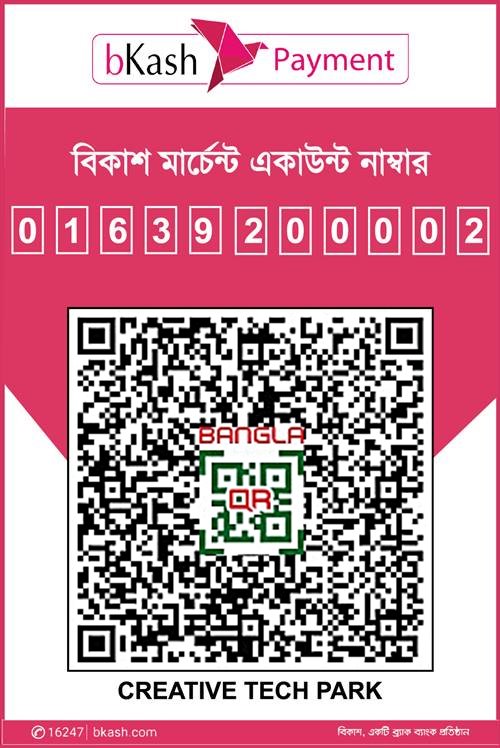
bKash merchant
Scan with the bKash app and choose Payment.
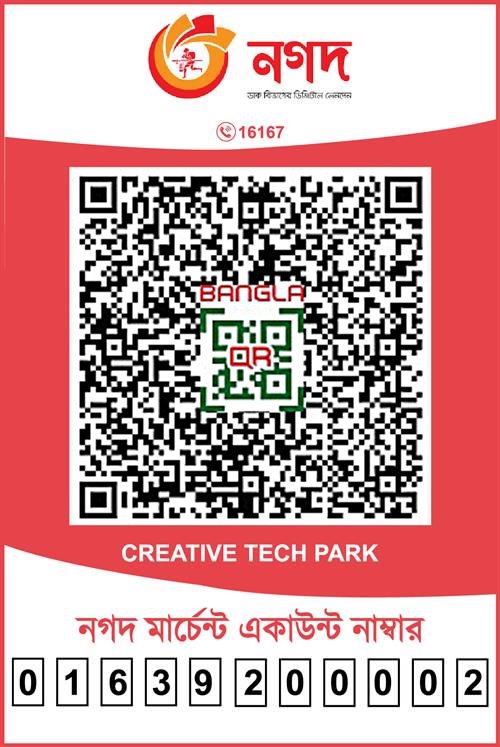
Nagad merchant
Scan with the Nagad app and choose Merchant Pay.
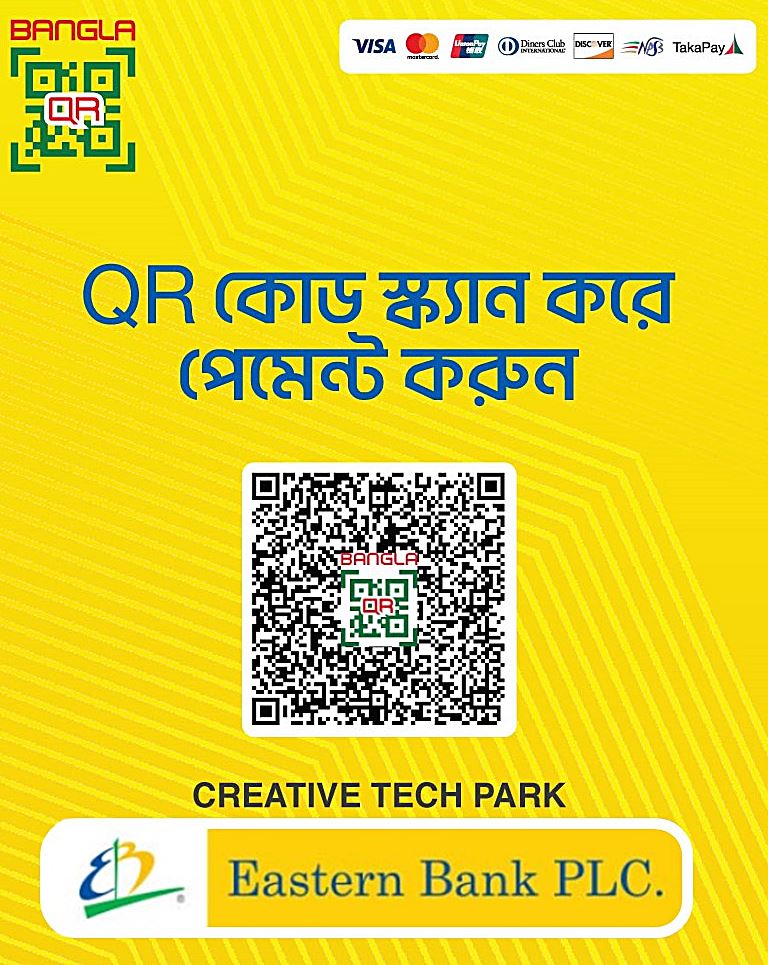
Bangla QR
Scan with any banking or mobile banking app that supports Bangla QR.
Pay online with Visa or Mastercard
Use our secure online billing page to pay any invoice by debit or credit card. You will need your invoice number and the amount.
Client portal
Log in to view and pay invoices, download receipts, renew domains and hosting, and open support tickets.
Log in to the portalStay safe: we will never ask for your card PIN, OTP or mobile wallet PIN by phone, SMS or email. Pay only to the accounts and QR codes on this page.
Pay direct to our corporate bank accounts
Account name for all accounts: CREATIVE TECH PARK. After paying, email a photo or scan of the deposit slip to info@creativetechpark.com or confirm below.
The City Bank PLC
- Account
- 1502467424001
- Branch
- Gulshan
- SWIFT
- CIBLBDDH
- Routing
- 225261729
BRAC Bank PLC
- Account
- 2071587970001
- Branch
- Gulshan
- SWIFT
- BRAKBDDH
- Routing
- 060261726
Dutch-Bangla Bank PLC
- Account
- 2461100005044
- Branch
- Gulshan Circle-1
- SWIFT
- DBBLBDDH
- Routing
- 090260463
Eastern Bank PLC
- Account
- 1241070056170
- Branch
- Ashkona
- SWIFT
- EBLDBDDH
- Routing
- 095260918
The Premier Bank PLC
- Account
- 13611100000331
- Branch
- Rampura
- SWIFT
- PRMRBDDH
- Routing
- 235275747
Islami Bank Bangladesh PLC
- Account
- 20503100100148812
- Branch
- Badda
- SWIFT
- IBBLBDDH
- Routing
- 125260341
How payment confirmation works
- Pay using any method on this page and keep the transaction ID or deposit slip.
- Confirm with the form, or email the slip to info@creativetechpark.com.
- Receive your receipt by email once our billing team matches the payment to your invoice, usually within one working day.
Billing help
Payment FAQs
Still have a question? Call +880 1639-200002 or message us on WhatsApp. We answer 24/7.
How can I pay my Creative Tech Park bill?
You can pay by bank transfer to any of our six corporate accounts, by bKash or Nagad merchant QR, through any banking app with Bangla QR, or online by Visa or Mastercard. You can also view and pay invoices in the client portal.
How do I pay by bKash?
Open the bKash app, choose Payment, scan our merchant QR code on this page, enter the invoice amount and write your invoice number in the reference. Then confirm the payment with the form on this page.
Can I pay by Nagad?
Yes. Scan our Nagad merchant QR code with the Nagad app, pay the invoice amount and add your invoice number as the reference.
What should I do after a bank deposit?
Email a photo or scan of the deposit slip to info@creativetechpark.com, or submit the confirmation form with your invoice number and transaction reference.
Is it safe to pay online by card?
Yes. Card payments are processed on our secure billing page. We never ask for your card PIN or OTP by phone, SMS or email.
When will I receive my receipt?
Usually within one working day after our billing team matches your payment to your invoice. Receipts are also available in the client portal.
Need a new website, app or software? Let's talk
Thank you for paying with Creative Tech Park. When you are ready for your next project, our team is here 24/7 with a free consultation.