
Inventory Management for Online Stores: Spreadsheet vs. Software

In this article
- Inventory Management for Online Stores: Spreadsheet vs. Software
- What Is Inventory Management for an Online Store?
- Why Inventory Management Matters for Ecommerce Businesses in Bangladesh
- Option 1: Managing Online Store Inventory with Spreadsheets
- Option 2: Using Inventory Management Software
- Spreadsheet vs Software: A Detailed Comparison
- Spreadsheet vs Software: Which Is Better for Your Business Size?
- Popular Inventory Management Software Options
- Can You Connect Inventory Management Software with a WordPress or WooCommerce Website?
- Should You Build Custom Inventory Management Software?
- How to Choose the Right Inventory Management System
- Common Inventory Management Mistakes to Avoid
- Practical Inventory Management Checklist for Online Stores
- How Creative Tech Park Helps Businesses Build Better Ecommerce Systems
- Frequently Asked Questions (FAQs)
- 1. Is Excel good for inventory management for an online store?
- 2. Is Google Sheets suitable for ecommerce inventory tracking?
- 3. When should an online store switch from spreadsheets to inventory software?
- 4. Can inventory software automatically update WooCommerce stock?
- 5. What is the best inventory management software for small businesses?
- 6. Is custom inventory management software expensive?
- 7. What is an SKU in inventory management?
- 8. Can one inventory system manage website and physical store stock?
- Final Thoughts
Inventory Management for Online Stores: Spreadsheet vs. Software
Running an online store involves more than receiving orders and delivering products. Business owners must keep track of available stock, monitor incoming shipments, update product quantities, manage returns, and avoid selling items that are no longer available. When these activities are not handled properly, even a growing ecommerce business can lose customers and revenue.
Many small businesses in Bangladesh start with spreadsheets because they are affordable, familiar, and easy to set up. However, as product collections expand and orders increase, spreadsheets can become difficult to manage. Inventory management software offers more advanced features, but it also comes with setup costs and ongoing expenses.
So, which option is better for your business?
This guide compares spreadsheet-based inventory tracking with dedicated inventory management software. It explains their benefits, limitations, costs, and practical uses so you can choose the right system for your online store.
What Is Inventory Management for an Online Store?
Inventory management is the process of tracking and controlling the products a business purchases, stores, sells, and returns. It helps store owners understand how much stock is available, which products need restocking, and where inventory is located.
For an ecommerce business, accurate inventory information is essential. Customers expect the products displayed on a website to be available when they place an order.
Reliable inventory management for online store processes usually covers:
- Stock tracking: Monitoring available quantities for every product.
- Order management: Reducing stock when customers place confirmed orders.
- Purchase management: Recording products purchased from suppliers.
- Restocking: Identifying products that need replenishment.
- Returns management: Updating inventory when customers return items.
- Warehouse management: Tracking products across storage locations.
- Reporting: Reviewing stock movement, sales trends, and inventory value.
For example, imagine an online clothing store in Dhaka selling shirts in five sizes and four colors. Each combination needs its own stock quantity. If the website shows ten medium black shirts but only three are available, the business may accept orders it cannot fulfill.
A good inventory system helps prevent this problem.
Why Inventory Management Matters for Ecommerce Businesses in Bangladesh
Bangladesh’s ecommerce market includes clothing stores, electronics retailers, grocery businesses, cosmetics shops, furniture sellers, and many other online businesses. These businesses often manage products from multiple suppliers while receiving orders through websites, social media pages, and marketplaces.
Without a proper stock management process, small mistakes can quickly become expensive.
1. Prevents Overselling
Overselling happens when customers purchase products that are no longer available. This often occurs when stock quantities are not updated after sales.
For example, a store has five wireless headphones in stock. Three customers place orders through different sales channels before the inventory record is updated. The store may accidentally confirm more orders than it can fulfill.
Accurate inventory tracking reduces this risk.
2. Reduces Unnecessary Stock Purchases
Keeping too much inventory ties up business capital. Products may remain unsold for months, especially when demand changes with seasons or market trends.
A stock management system helps business owners identify slow-moving products and make better purchasing decisions.
3. Improves Customer Satisfaction
Customers expect accurate product availability and timely delivery. If an order is cancelled because the product is unavailable, the customer may choose another store next time.
Keeping inventory records updated helps businesses provide a more reliable shopping experience.
4. Supports Better Financial Planning
Inventory represents money invested in products. Business owners need to understand how much capital is tied up in stock and how quickly products are selling.
Inventory reports can help identify:
- Fast-selling products.
- Slow-moving products.
- Products with low profit margins.
- Items that require urgent restocking.
- Excess inventory that should be cleared.
5. Makes Business Growth Easier
Managing 20 products manually is different from managing 2,000 products across several sales channels.
A structured inventory process allows businesses to handle increasing order volumes without relying entirely on manual updates.
Option 1: Managing Online Store Inventory with Spreadsheets
A spreadsheet is one of the simplest ways to track product inventory. Business owners can use tools such as Microsoft Excel or Google Sheets to record product information, stock quantities, purchases, and sales.
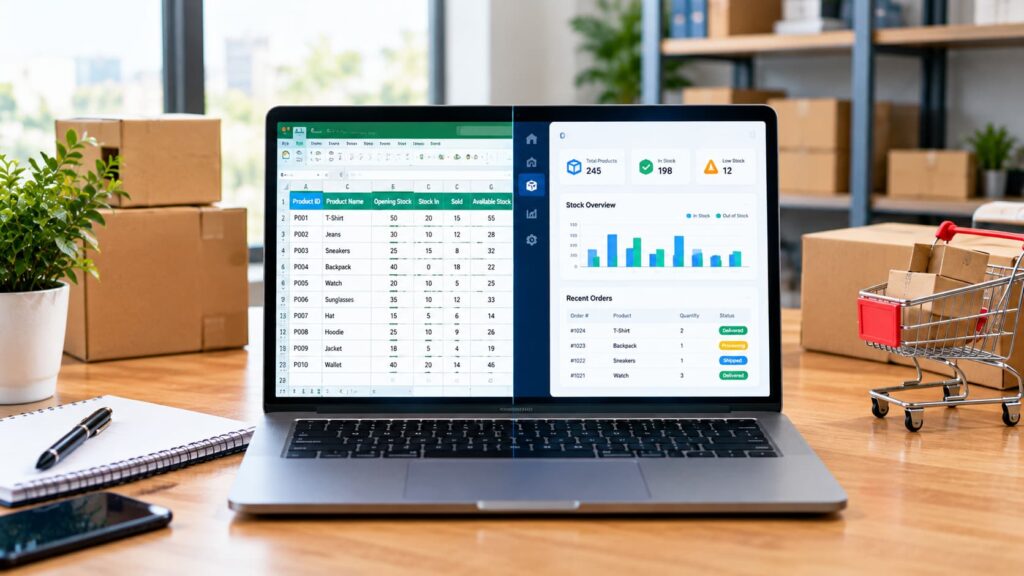
A basic inventory spreadsheet can include columns such as:
| Product ID | Product Name | Opening Stock | Stock In | Sold | Available Stock |
| P001 | Cotton Shirt | 50 | 20 | 15 | 55 |
| P002 | Wireless Mouse | 30 | 10 | 12 | 28 |
| P003 | Office Bag | 25 | 15 | 8 | 32 |
| P004 | LED Desk Lamp | 40 | 0 | 18 | 22 |
The available stock can be calculated using a simple formula:
Available Stock = Opening Stock + Stock In − Sold
This approach is easy to understand and requires little technical knowledge.
Advantages of Spreadsheet Inventory Management
1. Low Starting Cost
Spreadsheets can be a practical option for businesses with limited budgets. Google Sheets is available without a separate spreadsheet software purchase for basic personal use, while Excel may already be included in a business’s existing software subscription.
2. Easy to Customize
Business owners can create columns based on their products and operations.
For example, a clothing business may track size, color, fabric, and supplier. An electronics store may record model numbers, serial numbers, warranty periods, and purchase prices.
3. Simple to Learn
Most office workers and business owners have some experience with spreadsheets. They can usually start recording products without hiring a developer.
4. Useful for Small Product Collections
A store selling 10–50 products with a manageable order volume may find a spreadsheet sufficient, provided one person is responsible for updating it consistently.
5. Flexible Reporting
Users can apply formulas, filters, sorting, and charts to review stock information. This can help small businesses understand basic inventory trends.
Disadvantages of Spreadsheet Inventory Management
Spreadsheets are convenient, but they have limitations that become more noticeable as an online store grows.
1. Manual Updates Create Errors
Every sale, purchase, return, or damaged product may require a manual update. If someone forgets to change the quantity, the recorded stock becomes inaccurate.
A single incorrect formula can also affect multiple product records.
2. No Automatic Website Synchronization
A normal spreadsheet does not automatically update product quantities on an ecommerce website.
If a customer purchases an item, someone may need to update the spreadsheet and website separately. This creates additional work and increases the chance of overselling.
3. Difficult to Manage Multiple Sales Channels
Many Bangladeshi businesses receive orders from their websites, Facebook pages, phone calls, and marketplaces.
If each channel has separate stock records, business owners may struggle to maintain one accurate inventory count.
4. Limited User Control
When several employees edit the same spreadsheet, mistakes can happen. Someone might accidentally delete a formula, overwrite a quantity, or change a product record.
Cloud-based spreadsheets provide collaboration and version history features, but they do not offer the same level of structured inventory permissions and transaction controls as dedicated systems.
5. Limited Advanced Reporting
Spreadsheets can create useful reports, but more complex inventory analysis requires additional formulas, setup, and maintenance.
Tracking product movement, purchase orders, supplier performance, warehouse stock, and sales-channel activity can become difficult.
6. Time-Consuming as the Business Expands
The larger the product catalogue and order volume, the more time employees spend updating and checking records.
That time could be used for customer service, marketing, supplier communication, and business development.
Option 2: Using Inventory Management Software
Inventory management software is a dedicated system designed to track products, stock movement, purchases, sales, and inventory operations.
Unlike a basic spreadsheet, inventory software can automate many routine tasks. Depending on the system, it may connect directly with an ecommerce website, accounting software, warehouse tools, and sales channels.
For example, when a customer places an order, the system may automatically reduce the available stock quantity. When a product reaches its minimum stock level, it can notify the store manager that a new purchase may be required.
Common Features of Inventory Management Software
1. Real-Time Stock Tracking
The system updates product quantities as inventory transactions occur. This helps store owners see more accurate stock information.
Real-time tracking depends on proper integration and configuration. If a sales channel is not connected, its orders may still require manual entry.
2. Automatic Stock Updates
When integrated with an ecommerce website, inventory software can update product quantities after orders are processed.
This reduces the need to update the website and stock records separately.
3. Low-Stock Alerts
Business owners can set minimum stock levels for individual products.
For example, if the available quantity of a popular product falls below five units, the system can notify the responsible employee.
4. Purchase Order Management
Many inventory platforms allow businesses to create purchase orders, record supplier details, and track incoming stock.
This helps prevent confusion between products that have been ordered from suppliers and products that are physically available.
5. Multi-Warehouse Management
Businesses with multiple storage locations can use inventory software to track stock separately.
A company may have one warehouse in Dhaka and another in Chattogram. The system can help employees identify where each product is stored.
6. Sales and Inventory Reports
Inventory software can generate reports about stock movement, product performance, inventory value, and restocking requirements.
These reports help management make decisions based on business data rather than guesswork.
7. User Roles and Permissions
Depending on the platform, business owners can assign different permissions to managers, warehouse staff, sales employees, and administrators.
This helps control who can edit stock quantities, approve purchases, or view sensitive information.
Advantages of Inventory Management Software
- Less manual work: Automates routine stock updates when properly integrated.
- Better accuracy: Reduces errors caused by repeated manual data entry.
- Improved order processing: Helps teams check stock before confirming orders.
- Scalability: Supports larger product catalogues and higher order volumes.
- Centralized records: Keeps product and stock information in one system.
- Better visibility: Provides reports that help managers understand inventory performance.
- Multi-channel support: Some platforms can synchronize stock across websites and marketplaces.
Disadvantages of Inventory Management Software
Inventory software is not automatically the best choice for every business.
1. Higher Initial and Ongoing Costs
Some platforms charge monthly or annual subscription fees. Others require a one-time licence, implementation services, customization, or hosting.
A custom-built solution may also require development and maintenance budgets.
2. Setup Takes Time
The business must configure product records, stock locations, suppliers, user accounts, and inventory rules.
Existing product data may also need to be cleaned and imported.
3. Employee Training Is Necessary
Employees need to understand how to record purchases, process returns, update stock, and handle order adjustments.
Without proper training, even advanced software can produce inaccurate records.
4. Integration Can Be Complicated
Connecting inventory software with an ecommerce website, payment system, accounting platform, or marketplace may require technical work.
Compatibility should be checked before choosing a platform.
5. Dependence on the System
If the software becomes unavailable or the internet connection is interrupted, employees may face difficulties accessing stock information.
Businesses should have backup procedures and reliable data recovery arrangements.
Spreadsheet vs Software: A Detailed Comparison
Both options can support inventory management, but they serve different business needs.
| Comparison Factor | Spreadsheet | Inventory Software |
| Starting cost | Usually low | Varies by platform |
| Setup | Simple | Requires configuration |
| Stock updates | Mostly manual | Can be automated |
| Website integration | Usually requires custom work | Often supported |
| Multiple sales channels | Difficult to manage | Supported by some platforms |
| Error prevention | Depends on manual controls | More structured controls |
| Reporting | Basic to advanced with formulas | Built-in inventory reports |
| User permissions | Limited | Often more advanced |
| Warehouse management | Manual tracking | Available in suitable systems |
| Scalability | Limited for complex operations | Better for growing businesses |
| Employee training | Usually simple | Requires system training |
| Maintenance | Spreadsheet maintenance | Software and integration maintenance |
The important difference is not simply the number of features. It is how much time and effort your business spends maintaining accurate stock information.
A spreadsheet may be enough for a small store. A business with several employees, warehouses, and sales channels may need a more automated solution.
Spreadsheet vs Software: Which Is Better for Your Business Size?
The right choice depends on your product catalogue, monthly order volume, sales channels, budget, and operational complexity.
1. Small Online Stores
A spreadsheet may be suitable if your business:
- Sells a limited number of products.
- Receives a manageable number of daily orders.
- Uses one primary sales channel.
- Has one person responsible for inventory updates.
- Does not require advanced warehouse management.
For example, a small handmade jewellery store selling 30 products may manage its inventory through Google Sheets.
However, the business should maintain a clear update process and regularly check physical stock against spreadsheet records.
2. Growing Ecommerce Businesses
A growing business may need inventory software when:
- Daily orders are increasing.
- Product variations are difficult to track.
- Several employees handle inventory.
- Orders arrive through multiple channels.
- Manual stock updates are causing errors.
- Management needs regular inventory reports.
For example, a clothing retailer selling hundreds of products in different sizes and colours may benefit from dedicated inventory software connected to its website.
3. Large Online Stores and Retail Businesses
A large ecommerce operation generally needs a structured inventory management system.
It may require:
- Multiple warehouse support.
- Barcode scanning.
- Supplier and purchase order management.
- Automated stock synchronization.
- Role-based employee permissions.
- Detailed inventory reporting.
- Returns and damaged-stock management.
- Integration with accounting and business systems.
For these businesses, spreadsheets may still be useful for analysis or temporary data handling, but they should not normally be the main inventory control system.
Popular Inventory Management Software Options
There are several inventory platforms available for businesses with different requirements. The best option depends on your ecommerce platform, budget, integrations, and operational needs.
1. Zoho Inventory
Zoho Inventory is a cloud-based inventory management platform designed for businesses that need to manage orders, stock, warehouses, and purchasing activities.
Its features can include:
- Inventory tracking.
- Order management.
- Purchase orders.
- Warehouse management.
- Shipping integrations.
- Inventory reports.
It may be worth considering for small and medium-sized businesses that want a ready-made inventory system.
2. Odoo Inventory
Odoo offers inventory management as part of a broader business application ecosystem.
Its inventory-related capabilities include:
- Warehouse operations.
- Stock transfers.
- Product tracking.
- Reordering rules.
- Barcode operations.
- Integration with other Odoo business applications.
It can be suitable for businesses that want inventory management connected with sales, purchasing, accounting, and other operational processes.
3. inFlow Inventory
inFlow Inventory is designed for businesses that need to manage products, purchasing, sales orders, and stock operations.
Depending on the selected plan and integrations, it can support:
- Stock tracking.
- Purchase orders.
- Sales orders.
- Barcode workflows.
- Reporting.
- Warehouse processes.
It may be useful for retailers and product-based businesses that need more structured inventory control.
4. Cin7
Cin7 provides inventory and order management capabilities for businesses operating across multiple sales channels.
Its capabilities can include:
- Centralized inventory management.
- Order synchronization.
- Warehouse operations.
- Purchasing workflows.
- Retail and ecommerce integrations.
- Business reporting.
It may be more appropriate for businesses with complex inventory operations and a larger technology budget.
Important: Software features, integrations, prices, and availability can change. Before selecting a platform, check its current documentation and confirm that it supports your website technology, sales channels, and business requirements.
Can You Connect Inventory Management Software with a WordPress or WooCommerce Website?
Yes. Many inventory systems can connect with ecommerce websites through official plugins, APIs, or third-party integrations.
For businesses using WordPress and WooCommerce, inventory synchronization can help reduce manual stock updates.
A typical workflow looks like this:
- The business adds products and stock quantities to the inventory system.
- The system sends available product information to the WooCommerce website.
- A customer places an order.
- The order information is transferred to the inventory system.
- The available stock quantity is updated.
- The website displays the revised availability.
The exact process depends on the integration.
Before implementation, check these important requirements:
- Product IDs and SKUs must match correctly.
- Product variations must be supported.
- Cancelled orders must restore stock when appropriate.
- Returned products must follow a defined inspection process.
- Duplicate order synchronization must be prevented.
- Stock updates must work consistently across connected sales channels.
A poorly configured integration can create duplicate orders or incorrect stock quantities. Testing is essential before using it for daily business operations.
Should You Build Custom Inventory Management Software?
Ready-made inventory software works well for many businesses. However, some companies have specific operational requirements that standard platforms cannot fully support.
For example, a Bangladeshi distributor may need to manage:
- Different wholesale and retail prices.
- Credit sales and outstanding payments.
- Supplier-specific product codes.
- Several warehouse locations.
- Product batches and expiry dates.
- Custom delivery and return processes.
- Website orders and sales-team orders.
- Special approval processes for stock adjustments.
If a ready-made platform cannot handle these requirements efficiently, custom inventory management software may be worth considering.
Benefits of Custom Inventory Software
Designed around your business: The system can follow your actual purchasing, sales, and warehouse processes.
Better integration: It can be connected with your existing website, customer management system, accounting software, and internal applications through suitable APIs.
Flexible reporting: Reports can be designed around the information management needs to make decisions.
Business-specific permissions: Different employees can receive access based on their responsibilities.
Future expansion: New features can be added as business operations change, provided the system is designed for maintainability and growth.
However, custom development requires careful planning. The business must consider development costs, hosting, security, maintenance, backups, and future updates.
Custom software is not always cheaper than a subscription platform. Its value depends on how well it solves business problems over time.
How to Choose the Right Inventory Management System
Before investing in inventory software or building a custom solution, evaluate your current operations.
Step 1: Calculate Your Product Volume
Count your active products and variations. A store selling 100 products with five sizes each may have a much larger inventory catalogue than the product count initially suggests.
Step 2: Review Your Monthly Order Volume
Understand how many orders your business processes daily and monthly.
Also identify how frequently employees need to update inventory records.
Step 3: Identify Your Sales Channels
List every place where customers can purchase your products:
- Ecommerce website.
- Facebook or Instagram sales.
- Online marketplaces.
- Physical retail outlets.
- Direct sales teams.
- Wholesale customers.
If you sell through several channels, consider a centralized inventory system.
Step 4: Calculate the Total Cost
Do not compare systems based only on their advertised subscription fees.
Consider:
- Software subscriptions.
- Setup and configuration.
- Website integration.
- Employee training.
- Hosting and infrastructure.
- Maintenance and support.
- Future customization.
A low-cost platform may become expensive if it requires many additional services.
Step 5: Check Integration Requirements
Make sure the system works with your current ecommerce platform and other business applications.
Ask whether integration is available through an official plugin, API, or supported connector.
Step 6: Test Before Full Implementation
Start with a small group of products and a limited workflow.
Test stock updates, new orders, cancellations, returns, purchase records, and reporting before moving all business operations into the system.
Common Inventory Management Mistakes to Avoid
Even with good software, poor inventory practices can create problems.
Avoid these common mistakes:
- Not updating stock after every transaction: Record sales, purchases, returns, and adjustments consistently.
- Using duplicate product names: Assign a unique SKU to every product and variation.
- Ignoring damaged products: Keep damaged, expired, or unsellable items separate from available stock.
- Not checking physical inventory: Conduct regular stock counts and compare them with system records.
- Keeping too much slow-moving stock: Review product performance before placing large supplier orders.
- Ignoring supplier lead times: Consider how long suppliers take to deliver products.
- Giving everyone full system access: Assign permissions based on employee responsibilities.
- Failing to back up data: Maintain a reliable backup and recovery process.
- Ignoring product variations: Track each size, colour, model, or other variation separately when stock differs.
- Choosing software without checking integration: Confirm compatibility before committing to a platform.
Practical Inventory Management Checklist for Online Stores
Use this checklist to improve your store’s inventory process.
- Create a unique SKU for every product and variation.
- Record accurate opening stock quantities.
- Maintain supplier information.
- Record every purchase and stock receipt.
- Update inventory after orders are processed.
- Define how cancelled orders affect stock.
- Create a process for returned and damaged products.
- Set minimum stock levels for important products.
- Conduct regular physical stock counts.
- Review slow-moving products.
- Restrict access to sensitive inventory operations.
- Back up inventory records.
- Check website and inventory synchronization.
- Review stock reports regularly.
Following these steps can improve inventory accuracy whether you use a spreadsheet or dedicated software.
How Creative Tech Park Helps Businesses Build Better Ecommerce Systems
Choosing an inventory management approach is only one part of building a reliable online business. Your website, order processing, product database, and inventory workflow should work together.
Creative Tech Park is a Dhaka-based web design, software development, and IT services agency. Operating since 2012, the company reports a team of 26 in-house professionals, more than 5,000 clients, and over 7,000 completed projects.
For businesses planning to launch or improve an ecommerce operation, the right technology setup can make daily work easier.
Depending on the project requirements, a professional development team can help with:
- Ecommerce website design and development.
- WooCommerce website customization.
- Custom inventory management software.
- Product and stock database development.
- Inventory synchronization through API integration.
- Order management system development.
- Admin dashboards and business reporting.
- Website maintenance and technical support.
A business with straightforward inventory needs may be better served by an existing software platform. Another business may need custom functionality because of its warehouse structure, supplier relationships, or sales process.
The important thing is to select a solution based on actual operational requirements rather than paying for features the business will never use.
If your company is planning a new ecommerce website or wants to improve its existing inventory process, Creative Tech Park can help assess the technical requirements and plan a suitable development approach.
Frequently Asked Questions (FAQs)
1. Is Excel good for inventory management for an online store?
Excel can work well for a small online store with a limited product catalogue and manageable order volume. However, manual updates become difficult when the business grows or sells through multiple channels.
2. Is Google Sheets suitable for ecommerce inventory tracking?
Google Sheets is useful for basic stock records because multiple authorized users can access and update the same document. However, automatic website synchronization and advanced inventory controls generally require additional integrations or software.
3. When should an online store switch from spreadsheets to inventory software?
Consider switching when manual updates take too much time, stock errors increase, orders come from several channels, or employees cannot maintain accurate records consistently.
4. Can inventory software automatically update WooCommerce stock?
Yes. Compatible inventory systems can synchronize stock quantities with WooCommerce through plugins, APIs, or other supported integrations. The integration must be configured and tested correctly.
5. What is the best inventory management software for small businesses?
There is no single best platform for every business. Zoho Inventory, Odoo, and other inventory solutions may be worth evaluating based on product volume, budget, integrations, warehouse requirements, and reporting needs.
6. Is custom inventory management software expensive?
The cost depends on the features, integrations, user requirements, and complexity of the project. A basic system generally requires less development work than a solution with multiple warehouses, automated purchasing, and complex reporting.
7. What is an SKU in inventory management?
SKU stands for Stock Keeping Unit. It is a unique code assigned to a product or product variation to help identify and track inventory accurately.
8. Can one inventory system manage website and physical store stock?
Yes. Suitable inventory platforms can manage stock across online and physical sales channels. However, the system must support the required integrations and synchronization workflows.
Final Thoughts
Spreadsheets and inventory management software both have a place in ecommerce operations. A spreadsheet is a sensible starting point for a small online store with simple stock requirements. It is affordable, flexible, and easy to maintain when order volumes are low.
Dedicated inventory software becomes more valuable as product catalogues expand, multiple employees handle stock, and orders arrive through different channels. Automation, centralized records, and better reporting can reduce manual work and improve operational control.
Before making a decision, review your current inventory process, identify the problems you want to solve, and calculate the total cost of each option.
The best inventory management for online store solution is the one that keeps stock information accurate, supports your customers, and helps your business grow without adding unnecessary complexity.
- Custom Software Development
- eCommerce Business
- ecommerce inventory management
- inventory management
- inventory management software
- inventory tracking
- online store management
- spreadsheet inventory
- stock management
- WooCommerce inventory

Written by
Abdullah Al Masum
Part of the Creative Tech Park team in Dhaka, Bangladesh, building websites, apps and business software since 2012.